
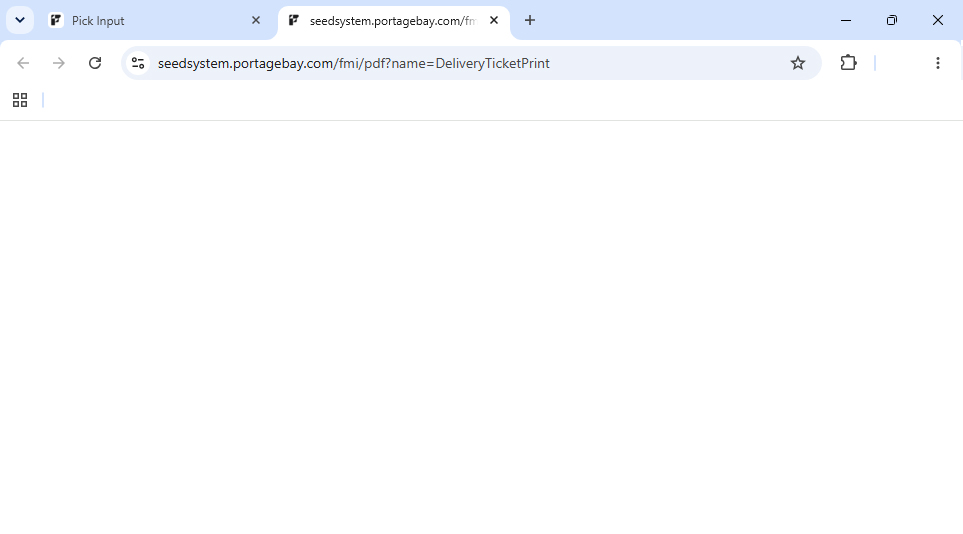
Recently several of our clients alerted us to an issue with Google Chrome and printing PDFs from WebDirect. After Chrome presents the print dialog, the resulting PDF does not render in the browser. Only a blank tab appears.
How to Solve the Issue
If you are experiencing this issue, it is likely due to the Adobe Acrobat extension in your browser. The extension prevents the browser from displaying the PDF. Here are some steps to fix it:
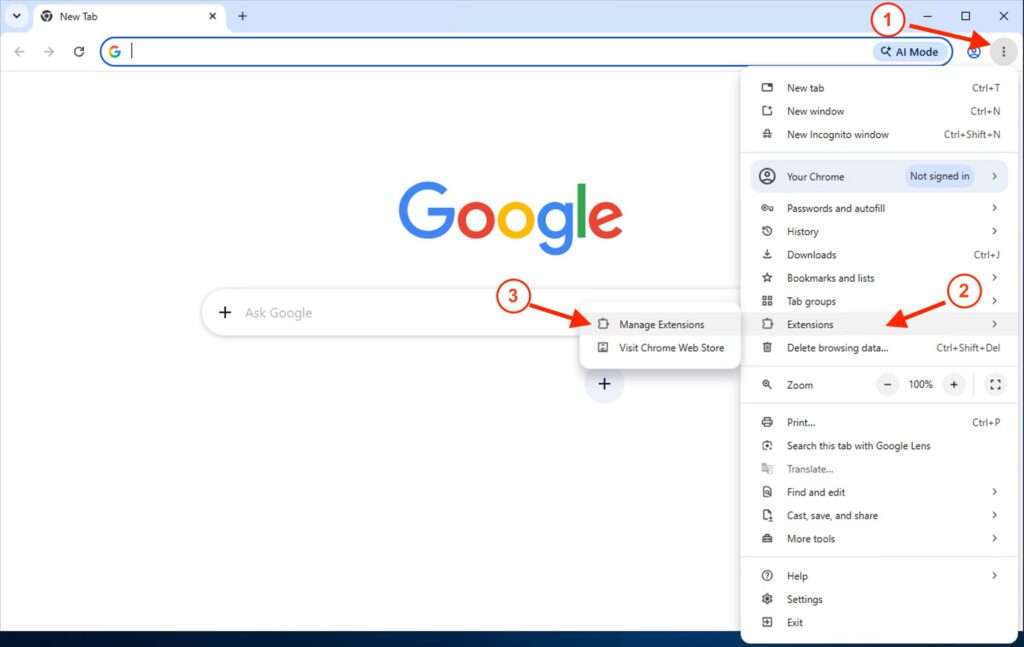
- From any tab in Google Chrome, select the three dots […] menu in the upper righthand side of your browser window.
- Select Extensions.
- Then select Manage Extensions.
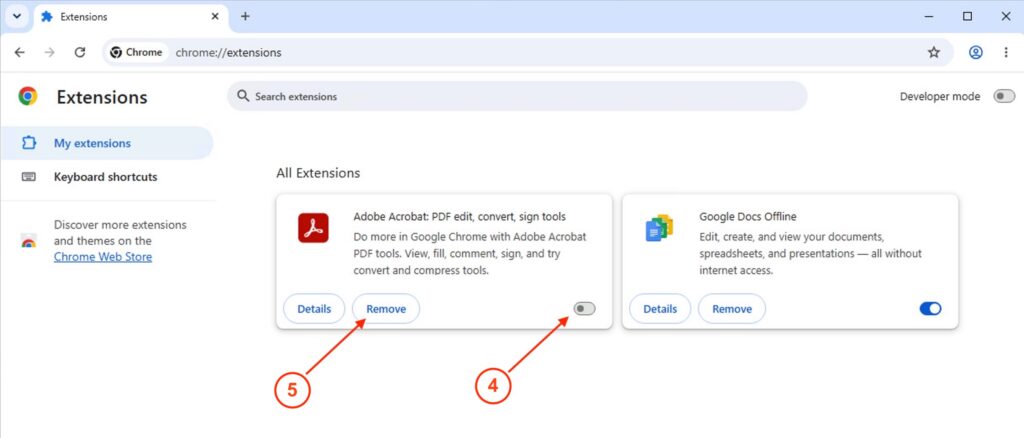
- If you see the Adobe Acrobat extension, toggle the enable/disable button to the disabled (gray) position.
- If you don’t regularly use Acrobat in your browser to edit or sign PDFs, you can optionally remove the extension by selecting the “Remove” button.
- Quit Chrome, then reopen it.
Afterwards, log back in to Seed System and try printing a report again. If you are still experiencing issues after making these changes, please contact us.
Your business grows when you get Support!